Fill Invoice
FREE INVOICE GENERATOR
Beginner-Friendly Analytics Tools To Track Your Marketing Efforts

Posted On 2025-12-09
Why Tracking Marketing Efforts Matters
Tracking your marketing performance is crucial to making informed decisions. Without analytics, marketing becomes guesswork, which can lead to wasted budget and missed opportunities. By measuring key metrics, you understand what resonates with your audience and where to focus your energy.
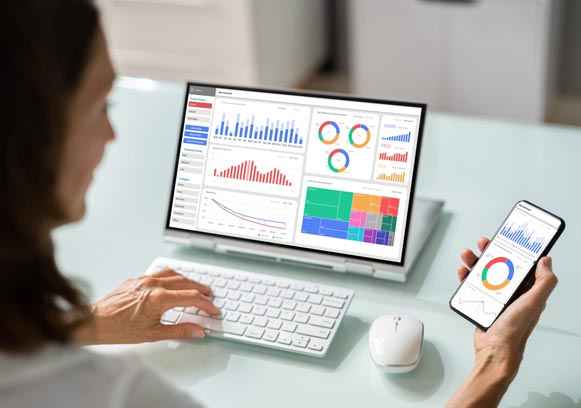
Analytics tools allow you to monitor website traffic, user behavior, email campaign success, social media engagement, and much more. This data enables continuous optimization, improving return on investment (ROI) over time.
Additionally, tracking performance helps you justify marketing expenditures to stakeholders and align your strategies with business goals.
Benefits of Using Beginner-Friendly Analytics Tools:
Simplified data visualization that makes metrics easy to understand.Pre-built reports and dashboards tailored for marketing analysis.Step-by-step guidance for setting up tracking and interpreting results.Integration with popular marketing platforms and social media.Cost-effective options suitable for small budgets.
Google Analytics: The Classic Starting Point
With a simple installation of the tracking code on your website, you can start viewing reports on visitor numbers, page views, traffic sources, and conversions. Google Analytics' intuitive dashboards help beginners monitor key metrics without digging through complicated data.
Google also offers extensive free educational resources, including tutorials and courses, which make learning easy. For small businesses, Google Analytics is a powerful tool to start understanding audience patterns and optimizing marketing campaigns.
Hotjar: Visualize User Behavior Easily
Hotjar complements traditional analytics by providing heatmaps, session recordings, and user feedback tools. It helps beginners understand exactly how visitors interact with your website beyond simple numbers.
Heatmaps visually represent where users click, scroll, and spend the most time, revealing potential bottlenecks or popular content areas. Session recordings allow you to watch real-time user navigation, uncovering usability issues or confusing layouts.
Hotjar Key Features:
Click, scroll, and move heatmaps. User session recordings. On-site surveys and feedback polls. Easy setup and beginner-friendly interface. Free basic plan available.
Mailchimp Analytics: Simplified Email Campaign Tracking
For businesses relying on email marketing, Mailchimp offers built-in analytics that are easy to understand and act upon. The platform provides reports on open rates, click-through rates, bounce rates, and subscriber growth.
Mailchimp's visual graphs and clear metrics allow beginners to see how their campaigns perform and identify which messages resonate with their audience. These insights enable smarter segmentation and personalized follow-ups.
Additionally, Mailchimp integrates with many e-commerce and social platforms, providing a unified view of customer engagement across channels. This integration simplifies analysis and helps beginners make data-driven decisions about their email marketing strategies.
Facebook Insights: Tracking Social Media Engagement
The tool breaks down metrics like likes, shares, comments, and reach, giving you a snapshot of which content drives interaction. Insights also show when your audience is most active, helping you schedule posts for maximum impact.
Because Facebook is often a primary marketing channel for small businesses, its native analytics tool provides a convenient way to track and improve social media campaigns without third-party complexity.
Facebook Insights Features:
Page and post performance metrics. Audience demographic breakdowns. Engagement and reach tracking. Optimal posting time recommendations. Free and easy to access from your page.
Google Data Studio: Create Custom Reports Easily
Google Data Studio allows beginners to create customized marketing reports and dashboards using a drag-and-drop interface. It connects to various data sources including Google Analytics, Google Ads, and spreadsheets.
While it may require some initial setup, Google Data Studio offers numerous templates and tutorials to guide beginners in building meaningful reports that provide actionable insights.
Tips for Making the Most of Analytics Tools
To maximize the value of beginner-friendly analytics tools, start by defining clear marketing goals and the key performance indicators (KPIs) that matter most. This focus helps you track relevant data without getting overwhelmed by unnecessary metrics.
Regularly review reports and look for patterns or anomalies that inform your marketing decisions. Use the data to test new ideas, refine messaging, and improve targeting. Consistency in monitoring and adjusting your campaigns leads to continual improvement.
Finally, invest time in learning the basics of your chosen analytics tools through tutorials, webinars, and forums. Familiarity with the platform ensures you can confidently interpret data and leverage insights for growth.
Summary of Best Practices:
Set clear goals and KPIs. Focus on actionable metrics. Regularly analyze and adjust campaigns. Use multiple tools for a holistic view. Take advantage of training resources.
Conclusion
By integrating these tools into your marketing workflow, you gain valuable insights that enable data-driven decisions, improve campaign performance, and ultimately grow your business. Start with one or two tools, learn their features, and build your analytics skills gradually for sustained success.
Embracing analytics early in your marketing journey lays a solid foundation for continuous improvement and competitive advantage.


Popular Posts
June 2026


Building a Community Online Without Feeling Overwhelmed
Creating and nurturing an online community can be a game-changer for .. ..
Creating and nurturing an online community can be a game-changer for small businesses. A strong community fosters loyal customers, encourages .. ..
READ NOW


From Milestone to Meh: The Strange Psychology of Wins
Successes and wins, whether big or small, are often anticipated as .. ..
READ NOW


How to Optimize Paid Advertising for Maximum ROI in 2025
Paid advertising in 2025 is evolving rapidly with the rise of .. ..
READ NOW


Celebrating Wins and Planning for Long-Term Success
Recognizing and celebrating wins, no matter how big or small, is .. ..
READ NOW


Using Chatbots to Improve Customer Support and Sales
In the evolving digital landscape, businesses are constantly seeking ways to .. ..
READ NOW


5 Personal Finance Hacks That Make Investing Easier for Beginners
Investing can seem daunting for beginners, often clouded with complex jargon, .. ..
READ NOW


Using Marketing Automation to Streamline Strategy Execution
Marketing automation refers to the use of software platforms and technologies .. ..
READ NOW


How Content Marketing Drives Long-Term E-Commerce Growth
Content marketing is the process of creating and distributing valuable, relevant .. ..
READ NOW


How Hybrid Finance Is Shaping the Future of Entrepreneurial Funding
Entrepreneurial funding has experienced a significant transformation in recent years, driven .. ..
READ NOW


Waste Not: Sustainable Product Design for Startups
In today's rapidly evolving market, startups have a unique opportunity to .. ..
READ NOW


